


Cima-La Porte
Project Spotlight: CIMA – La Porte
Commercial/Industrial Generator Installation by ARK Generator Services
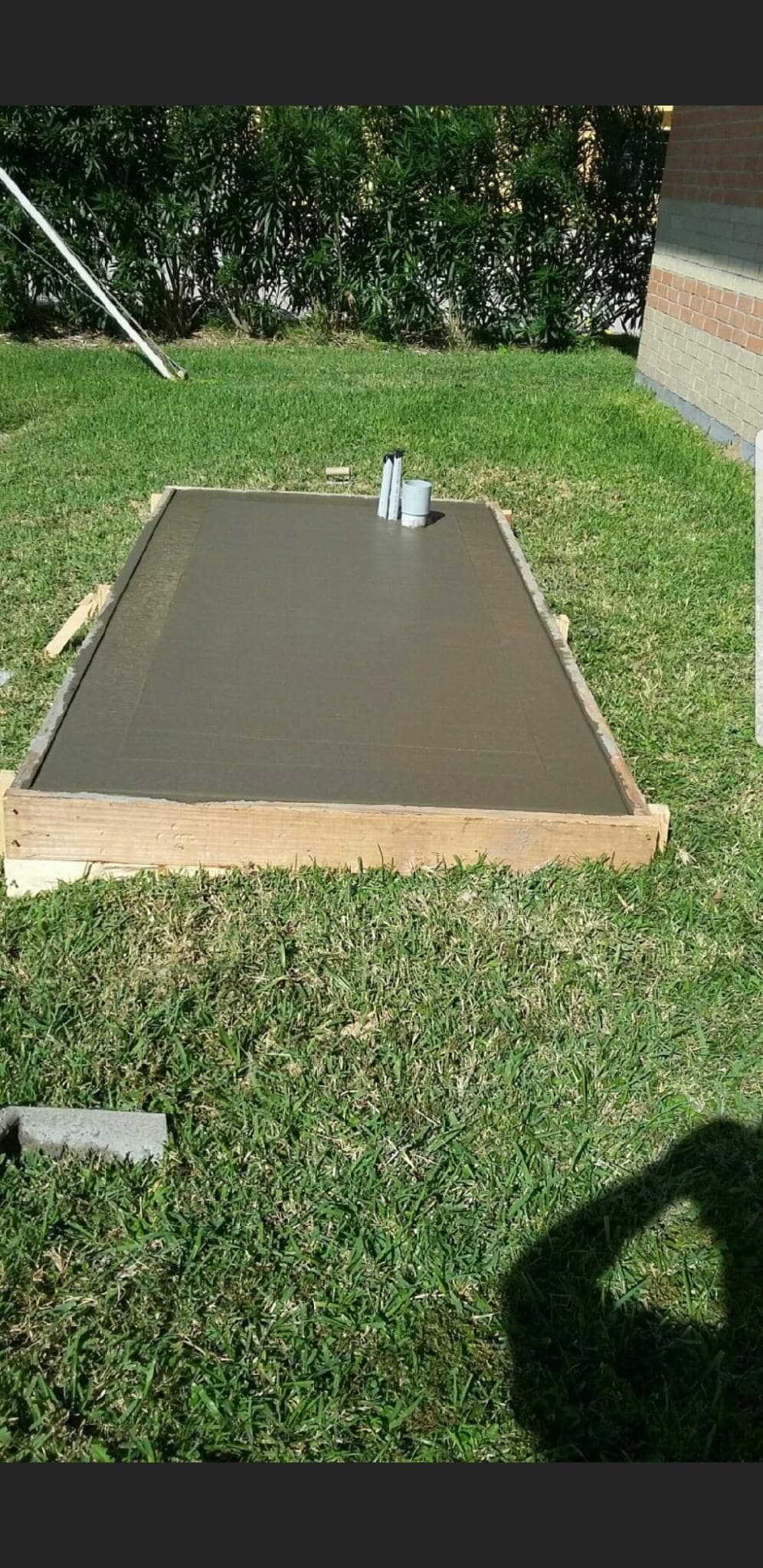
ARK Generator Services recently completed a commercial generator installation project for CIMA in La Porte, Texas, delivering a turnkey backup power solution designed for long-term reliability and performance. Our team handled every stage of the project — from site preparation and concrete pad construction to fuel and electrical integration — ensuring full compliance with safety and local code requirements.
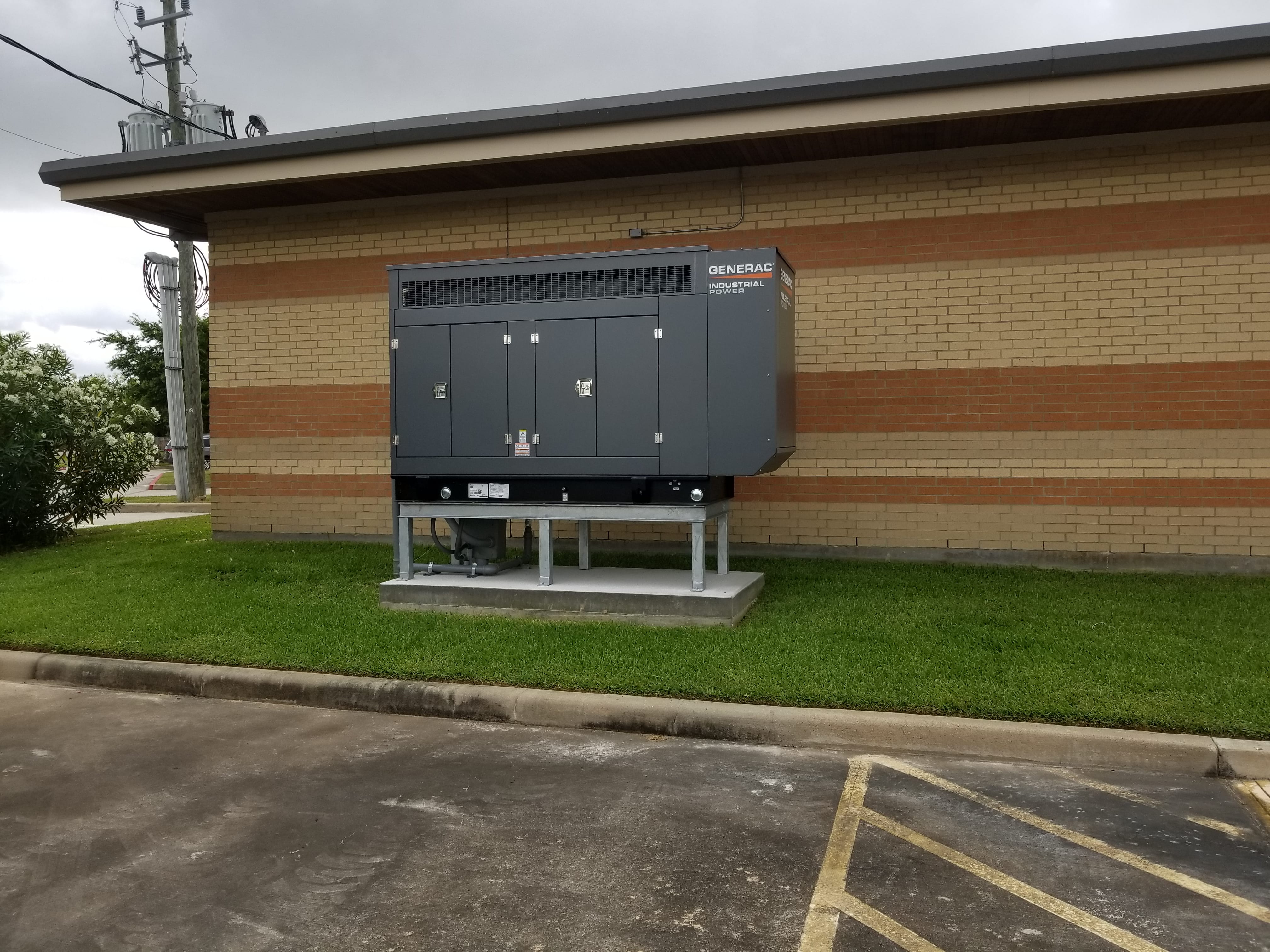
This installation features a Generac Industrial Series generator system, engineered to provide dependable power during outages and maintain seamless business operations. The project included:
✔️ Custom concrete generator pad
✔️ Professional utility coordination
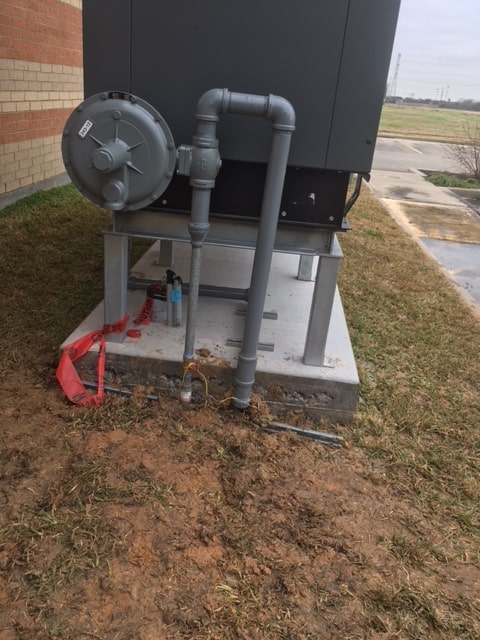
✔️ Natural gas fuel line setup
✔️ Heavy-duty generator mounting and leveling
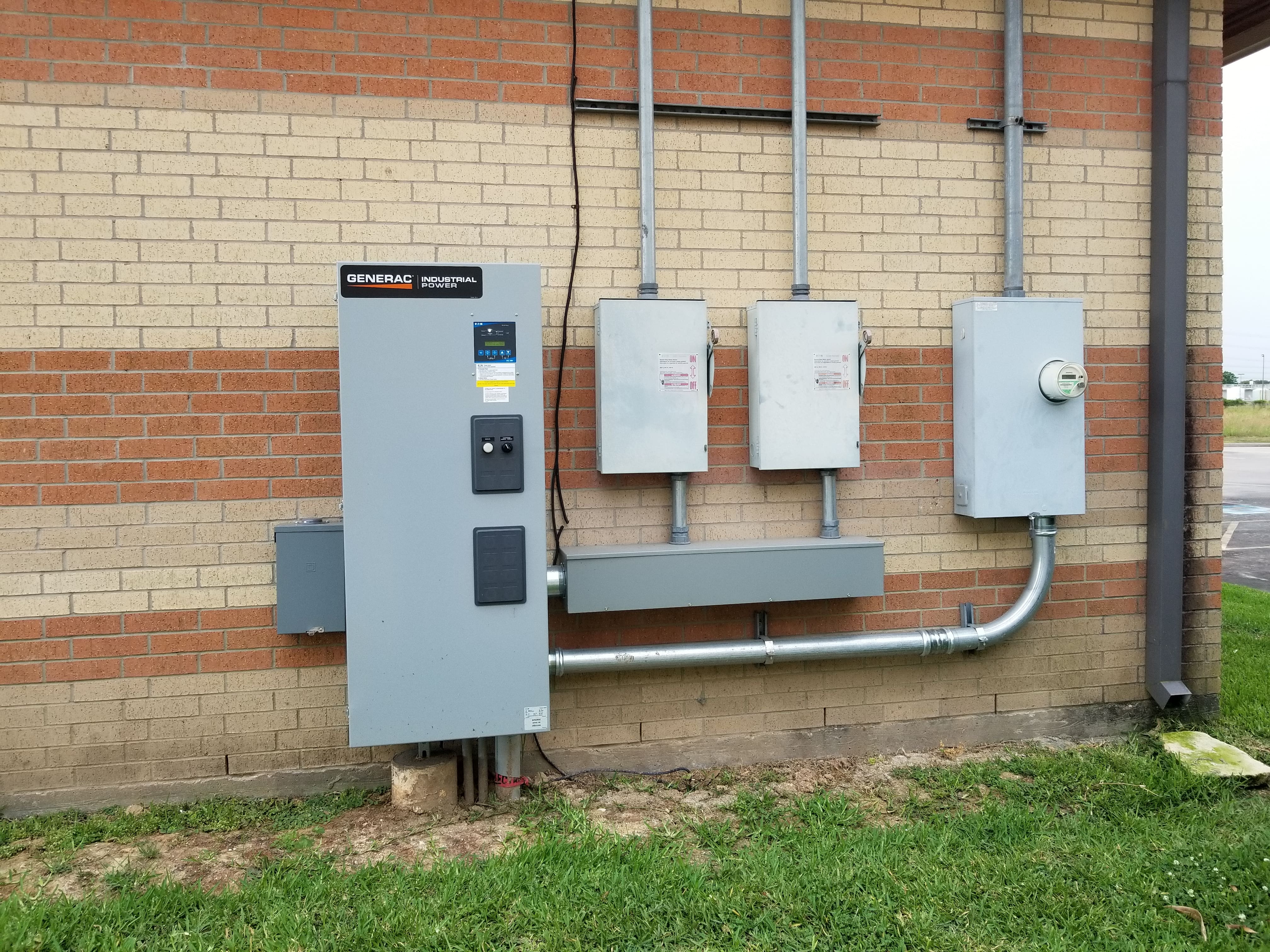
✔️ Automatic Transfer Switch (ATS) installation
✔️ Electrical trenching and conduit work
✔️ Final testing and commissioning
As a trusted commercial generator contractor in the Houston and La Porte area, ARK Generator Services specializes in turnkey standby generator solutions for industrial facilities, medical centers, schools, municipal buildings, and commercial businesses.
If your business requires reliable emergency power protection, our team is ready to design and install a system that meets your operational demands.
📞 Contact ARK Generator Services Today
Industrial & Commercial Generator Installations
✅ Licensed | ✅ Insured | ✅ Factory-Certified
www.arkgenerator.com | (936) 441-4275


How to clone into other project?
Press "Ctrl + E" or "Cmd + E" in the Designer and enable "Select on-page element".

Search for the class named, "Cloneable Area".

Copy the element inside this container to your own project.
Rename the classes accordingly if they are clashing with your project.
Ensure custom code from the in-page setting has been copied into your project as well (if there's any).
'Page Trigger' interaction can't be copied directly. You can only clone the whole project, or rebuild it.
A simple trick to copy the 'Page Trigger' interaction into another project is as below:
1. Create a dummy element.
2. Apply any type of 'Element trigger' into the dummy element and select the 'Page Trigger' animation.
3. Copy the dummy element with the animations applied into your new project.
4. The animation should have been copied into your project and you can reapply the 'Page Trigger' animation into your project.If you have further inquiry or need assistance, feel free to contact us.
Lastly, please do not copy this project and claim it as your own. We wish to continue sharing and giving to the community. In order to do so, we will need your cooperation and full support. Thank you very much,


